Protect the Memories You Have Today.
Preserve Their Story for Tomorrow.
Memory’s AfterLife gives your family photos, videos, and important memories a private home where they can be protected, organized, remembered, and ultimately preserved for someone you trust.
Your memories are more than files.
Traditional cloud storage is built primarily to store and synchronize files. Memory’s AfterLife is designed around the memories themselves — helping you protect them today, preserve the stories and people connected to them, and create a secure path for those memories to reach someone you choose in the future.
Start your private archive with 1 GB free.
You do not need a paid plan or a credit card to begin. Create your Free Archive, start preserving the memories that matter, and upgrade later only if you need more storage or additional plan features.
Protect Your Memories
Build a private memory vault for the photos, videos, and files that matter to you. Upload from the web or use the Memory’s AfterLife mobile app to help protect new photos and videos from your phone with Auto-Sync.
From phone to protected vault.
Capture a moment → Auto-Sync protects it → Your memory becomes part of your private archive.
Organize Your Life
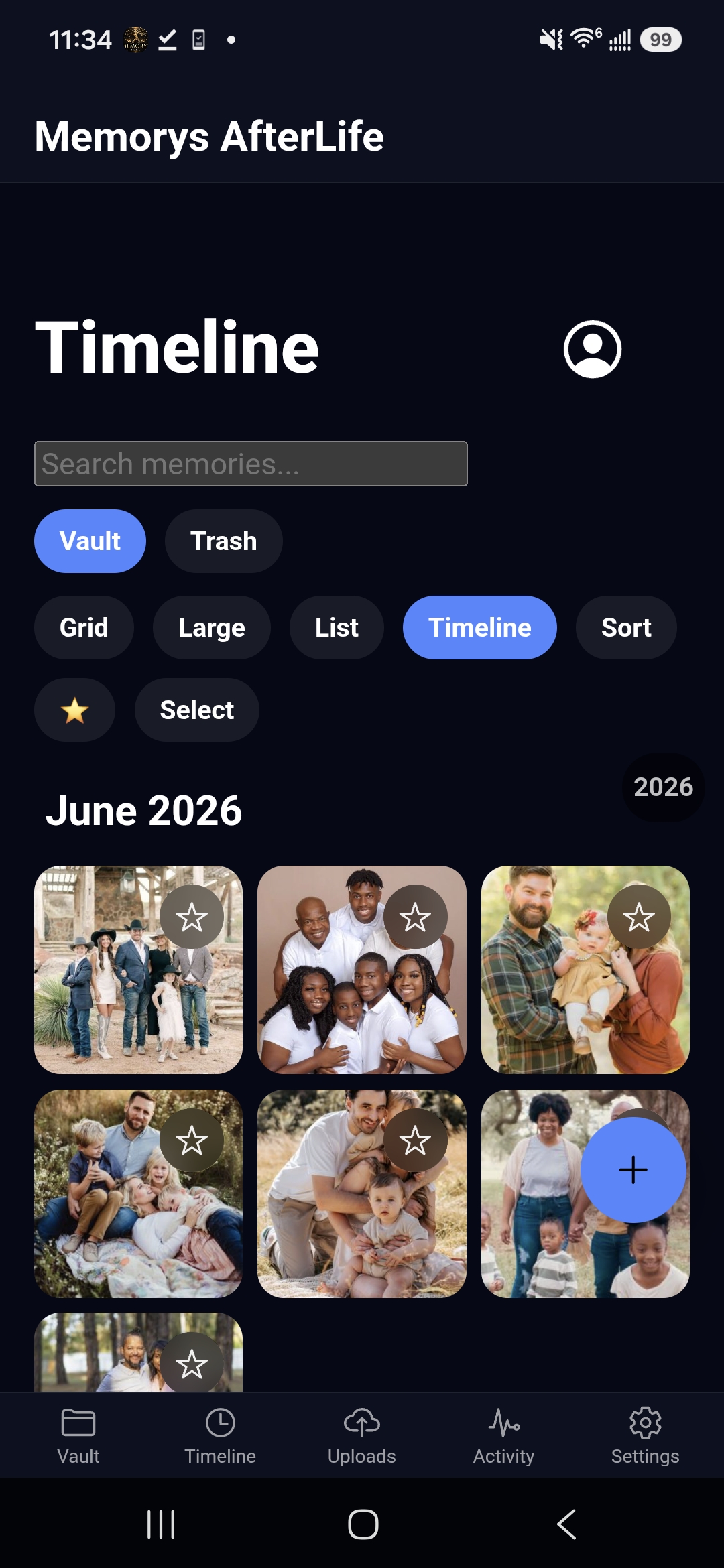
Your archive should be something you can actually enjoy. Browse memories visually, revisit moments over time, organize meaningful groups, favorite important memories, and find what you’re looking for without digging through device folders.
Preserve the Story Behind the Memory
A photo can survive for decades while the story behind it disappears. Memory’s AfterLife is designed to preserve more than the image itself by giving memories meaningful context — so the people who see them later can understand why they mattered.
Give the moment context.
Add the details that help turn a stored file into a memory that can still be understood years from now.
Memories make more sense when you remember who was there.
Remember the People
Family history isn’t only a collection of dates and files. It’s people and relationships. Preserve the human context around important memories so your archive tells a richer story than a folder of unnamed photographs ever could.
Build Your Digital Legacy
Choose a trusted beneficiary and build an archive with the future in mind. Legacy Messages can preserve words meant for the people you care about, while your beneficiary designation establishes who may ultimately receive your protected archive after the required process is completed.
Explore the future release process →Memories with a destination.
Your beneficiary is part of a controlled future release process — not a second user with access to your vault today.
Private During Your Lifetime.
Protected for the Future.
Designating a beneficiary does not give that person access to your vault while you are using it. Future access is handled through a structured verification and review process.
You Remain in Control
Use your vault, manage your archive, and update beneficiary information as needed.
Verified Future Access
Required verification, review, and release safeguards are completed before beneficiary access is granted.
One archive. A lifetime of memories.
Capture → Protect → Organize → Remember
Build and enjoy a private memory archive while life is happening.
Stories → People → Legacy
Add the context that turns your collection into a family archive.
Verify → Review → Release
Provide a protected path for your memories to reach the person you chose.
Your Memory Vault Goes Wherever Life Happens.
Use Memory’s AfterLife on Android to browse your vault and help automatically protect new photos and videos from your phone.
Backup protects files.
We designed a platform to preserve memories.
- Stores files
- Synchronizes devices
- Folders and file organization
- Basic file metadata
- Standard account access
- Primarily focused on backup
- Protects memories
- Mobile Auto-Sync
- Timeline, Albums & Collections
- Memory Stories and context
- People and relationships
- Legacy Messages
- Designated beneficiary
- Structured future release process
Understand how your memories are protected.
Protect today.
Preserve tomorrow.
Start with 1 GB free — no credit card required — and build a private memory archive designed for your life today and your family’s future.